
Stop WordPress CPU Spikes Caused by Bots (Using Only .htaccess + Wordfence)
If your WordPress site suddenly hits 100% CPU (or your hosting shows lsphp processes piling up), there’s a good chance you’re dealing with aggressive bot crawling or scraping—especially on WooCommerce category and product pages.
This guide shows a clean, practical approach using only:
a single
.htaccesssnippet (Apache/LiteSpeed)Wordfence → Tools → Live Traffic to identify the attacking IPs
No Cloudflare, no server access required.
How to confirm it’s bots (2 minutes)
1) Check your hosting “Resource Usage / Snapshot”
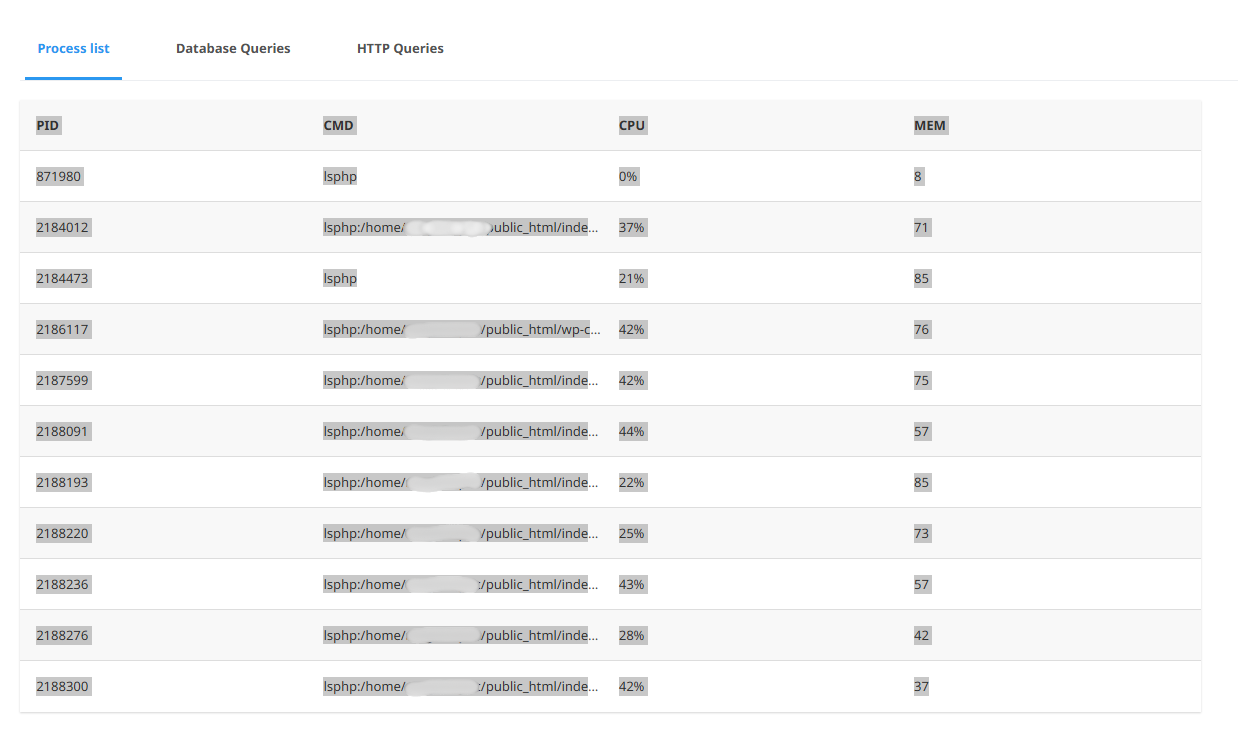
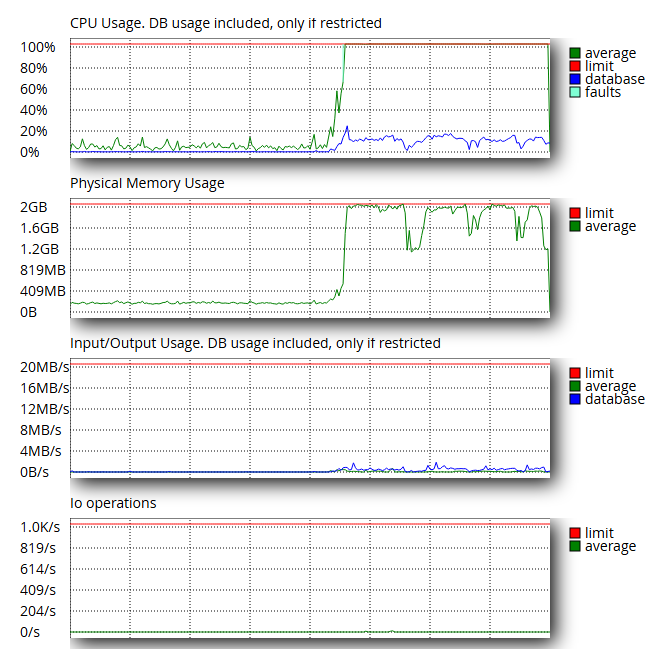
On cPanel hosts (especially CloudLinux), open Resource Usage → Snapshot and look for:
many
lsphp:/home/.../public_html/index.phpsometimes
wp-cron.phpthe CPU staying pinned even when you’re not testing the site yourself
That typically means requests are hitting PHP repeatedly (cache is being bypassed or not serving hits).
2) Check Wordfence Live Traffic (best signal)
Go to:
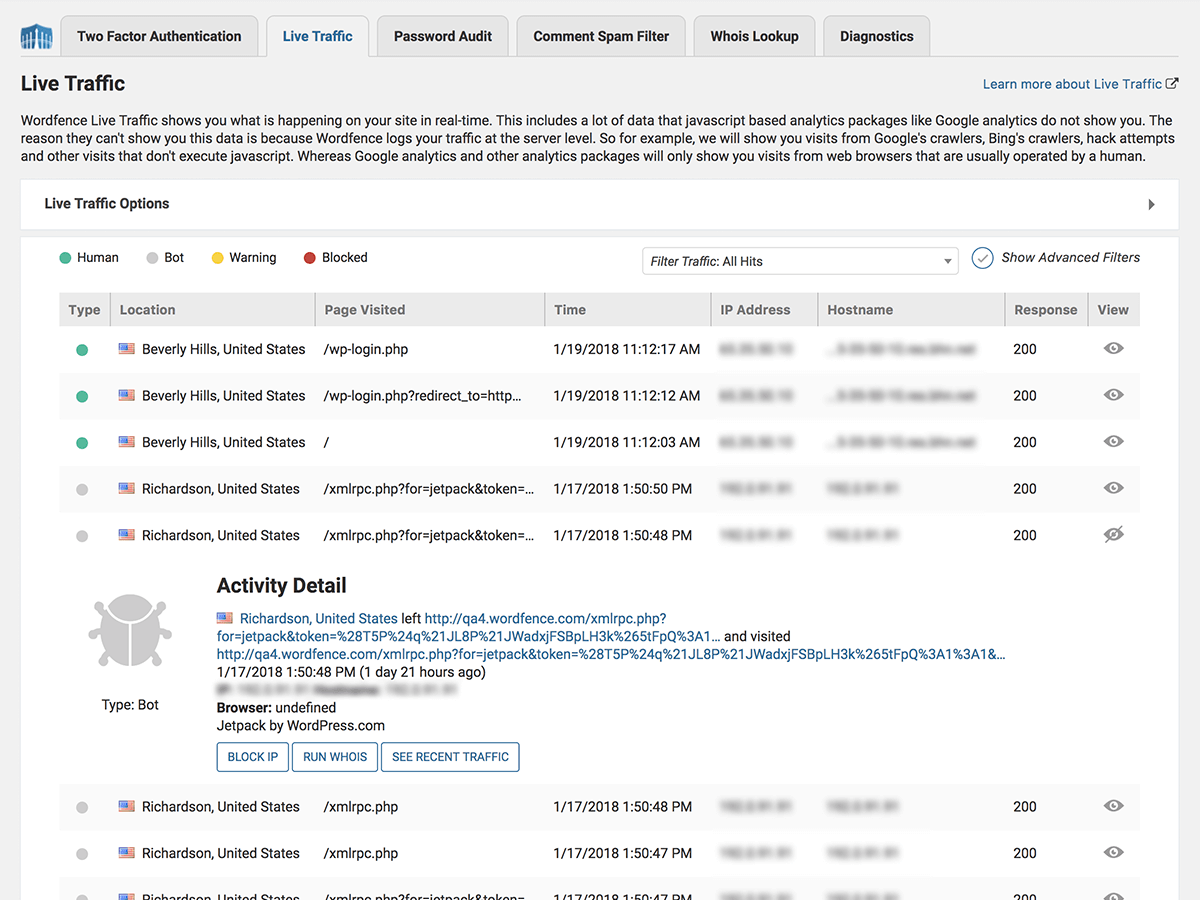
Wordfence → Tools → Live Traffic
Look for patterns like:
the same page being hit repeatedly (e.g.
/product-category/...)lots of different IPs in a short time window
IPs from unexpected locations
“strange” or missing user agents
If you see many IPs like 57.141.4.17, 57.141.4.61, 57.141.4.64 hammering the same URL, you’re looking at a bot wave.
The .htaccess solution (one single snippet)
Paste the following above # BEGIN WordPress in your site’s root .htaccess.
This snippet does three things:
blocks
xmlrpc.php(common bot target)blocks obvious scrapers/headless tools by User-Agent
lets you optionally block attacker IP ranges (the most effective “fire extinguisher” during real waves)
# =======================================================
# Simple Anti-Bot Shield (Apache / LiteSpeed)
# Paste ABOVE: # BEGIN WordPress
# =======================================================

# 1) Block XML-RPC (commonly abused; safe for most sites)
<Files "xmlrpc.php">
  Require all denied
</Files>

<IfModule mod_rewrite.c>
RewriteEngine On

# 2) Allow Google (skip the next rules)
RewriteCond %{HTTP_USER_AGENT} (Googlebot|Google-InspectionTool|AdsBot-Google|Mediapartners-Google) [NC]
RewriteRule .* - [S=3]

# 3) Block empty / missing User-Agent (almost always bots)
RewriteCond %{HTTP_USER_AGENT} ^$ [OR]
RewriteCond %{HTTP_USER_AGENT} ^-$
RewriteRule .* - [F,L]

# 4) Block common scrapers and headless browsers
RewriteCond %{HTTP_USER_AGENT} (curl|wget|python-requests|scrapy|aiohttp|httpclient|Go-http-client|libwww-perl|okhttp|node-fetch|axios|postman|httpie|PycURL|HeadlessChrome|PhantomJS|Puppeteer|Playwright|selenium) [NC]
RewriteRule .* - [F,L]

# 5) Block generic "bot" keyword (except Googlebot)
RewriteCond %{HTTP_USER_AGENT} bot [NC]
RewriteCond %{HTTP_USER_AGENT} !googlebot [NC]
RewriteRule .* - [F,L]

</IfModule>

# 6) OPTIONAL: Block attacker IP ranges (recommended during spikes)
# Add the /24 ranges you discover from Wordfence Live Traffic.
<RequireAll>
  Require all granted
  # Example blocks (uncomment and edit):
  # Require not ip 57.141.4.0/24
  # Require not ip 116.179.33.0/24
</RequireAll>
Do you need IP blocking for this to work?
Not always.
If your issue is mostly “cheap” scrapers, the User-Agent rules alone may reduce load.
If you’re getting hammered by a bot wave using normal-looking User-Agents, IP blocking is what actually stops the flood.
In real incidents, IP blocking often provides the biggest CPU drop because it blocks the request before WordPress/PHP has to work.
How to block the correct IP range (without mistakes)
Step 1: collect 5–20 IPs from Wordfence Live Traffic
Example:
57.141.4.17
57.141.4.61
57.141.4.64
Step 2: convert to a /24 range
If most IPs share the same first three blocks:
57.141.4.X → block: 57.141.4.0/24
Add it here:
<RequireAll>
  Require all granted
  Require not ip 57.141.4.0/24
</RequireAll>
Important: 57.141.0.0/24 does not block 57.141.4.*./24 matches only the last segment of that third block.
What NOT to do (common mistakes)
❌ Don’t block Googlebot by IP
Google’s crawling IPs can change and should not be blocked by “guessing.” If you want to reduce crawl rate, do it via Search Console (not .htaccess).
❌ Don’t block huge ranges blindly (like /16)
Start with a /24 you see in your logs. Expand only if you confirm it’s safe.
❌ Don’t mix deny from with Require not ip
Use one approach. The snippet above uses the modern, stable format:
Require not ip ...
Quick checklist after enabling the snippet
Watch Wordfence Live Traffic:
attacker IPs should drop, or start receiving 403s.
Watch cPanel Resource Usage / Snapshot:
fewer
index.phpprocessesCPU should trend down within minutes.
When this is not enough (and what to do next)
If your site gets frequent bot waves, .htaccess will help but won’t give you real rate-limiting.
The long-term fix is a WAF/rate-limiter (e.g., Cloudflare), but if you want to stay “hosting-only,” keep a habit:
monitor Live Traffic
add/remove
/24blocks as neededkeep the UA shield permanently