Version1.0.0
Requires WP5.8
Tested up to6.8
Slugkonvai-chatbot
Changelog
  • Initial release
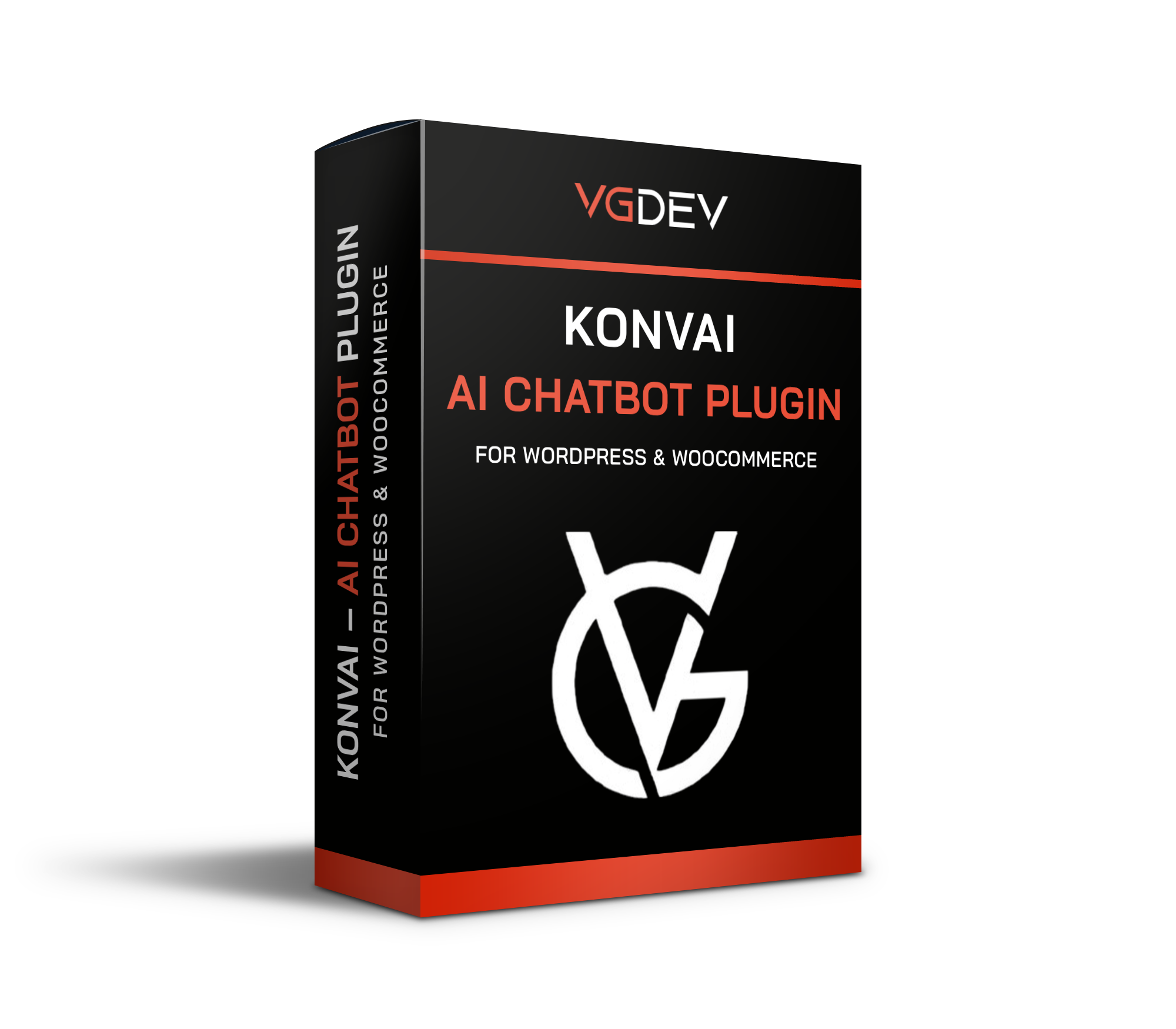
Konvai – AI Chatbot Plugin for WordPress & WooCommerce

Konvai – AI Chatbot Plugin for WordPress & WooCommerce

Categories: , Tag:

Konvai is a self-hosted AI chatbot plugin for WordPress and WooCommerce. It trains on your posts, pages, products and PDFs, then answers visitor questions instantly, recommending products with images and prices, handling shipping queries, and escalating to a real human when needed. Works with OpenAI, Anthropic, Google Gemini, Mistral and DeepSeek. One-time purchase, lifetime updates, no subscriptions.

40.00

Lifetime License + Lifetime Updates

14-day money-back guarantee
Pay securely with Visa Mastercard American Express Discover Klarna Revolut Pay

Want more than one plugin? Your discount is applied automatically in the cart:

  • With 2 premium plugins in your cart → 10% off both

  • With 3 premium plugins15% off all of them

  • With 4 or more premium plugins20% off your plugins

Free plugins do not count towards the bundle and are not discounted.
The discount is applied automatically in the cart and at checkout, no coupon needed.

Do you think something is missing from this plugin?

Request a feature

Need a different customization on your website?

Submit a customization request

Konvai is a self-hosted AI chatbot plugin for WordPress and WooCommerce. It trains on your posts, pages, products and PDFs, then answers visitor questions instantly — recommending products with images and live prices, handling order queries, and escalating to a real human when needed. Choose from OpenAI, Anthropic, Google Gemini, Mistral or DeepSeek. One-time payment, lifetime updates, no subscriptions, no per-message fees.

What You Get with Pro

WooCommerce AI Assistant

  • Semantic product search — finds items by intent, not just keywords
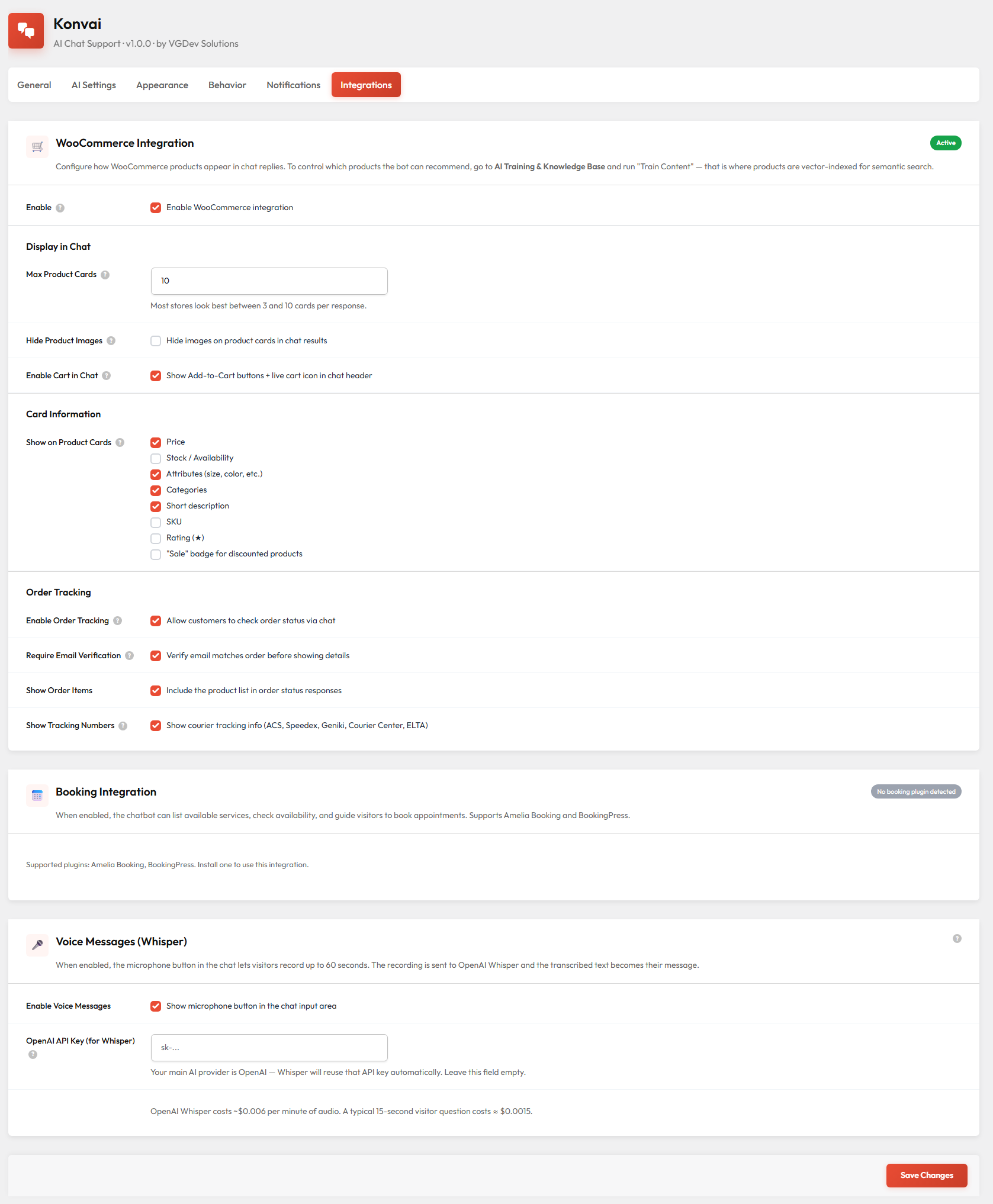
  • Product cards with image, live price, stock status & ratings
  • Add-to-cart button right inside the chat
  • Order status look-up by order number, powered by WooCommerce data

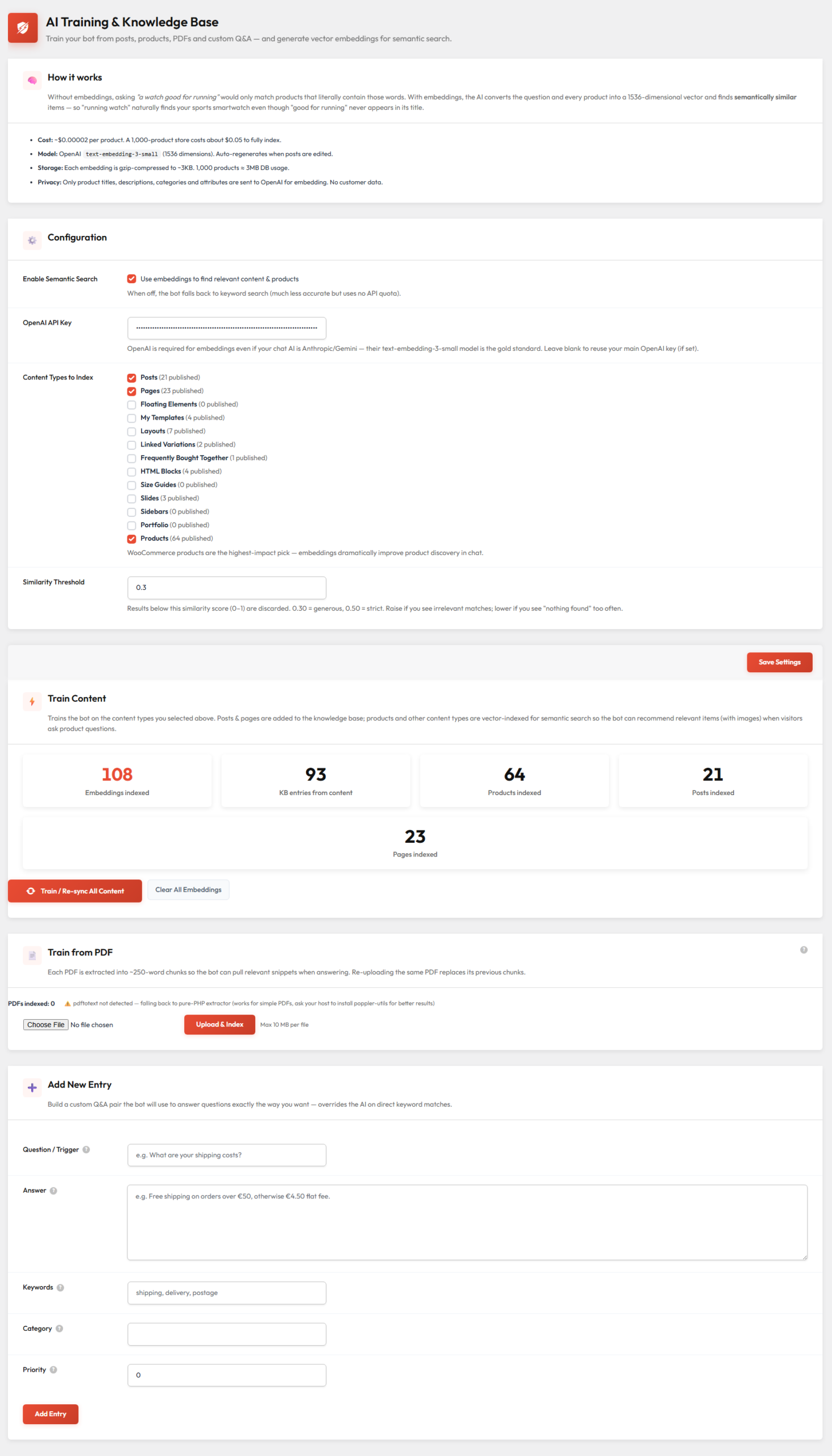
Knowledge Base & Training

  • Auto-syncs posts, pages, products and custom post types
  • PDF training — manuals, catalogs, FAQs chunked into context
  • Manual Q&A overrides for facts that must be exact
  • Vector embeddings via OpenAI for semantic retrieval

Visitor Experience

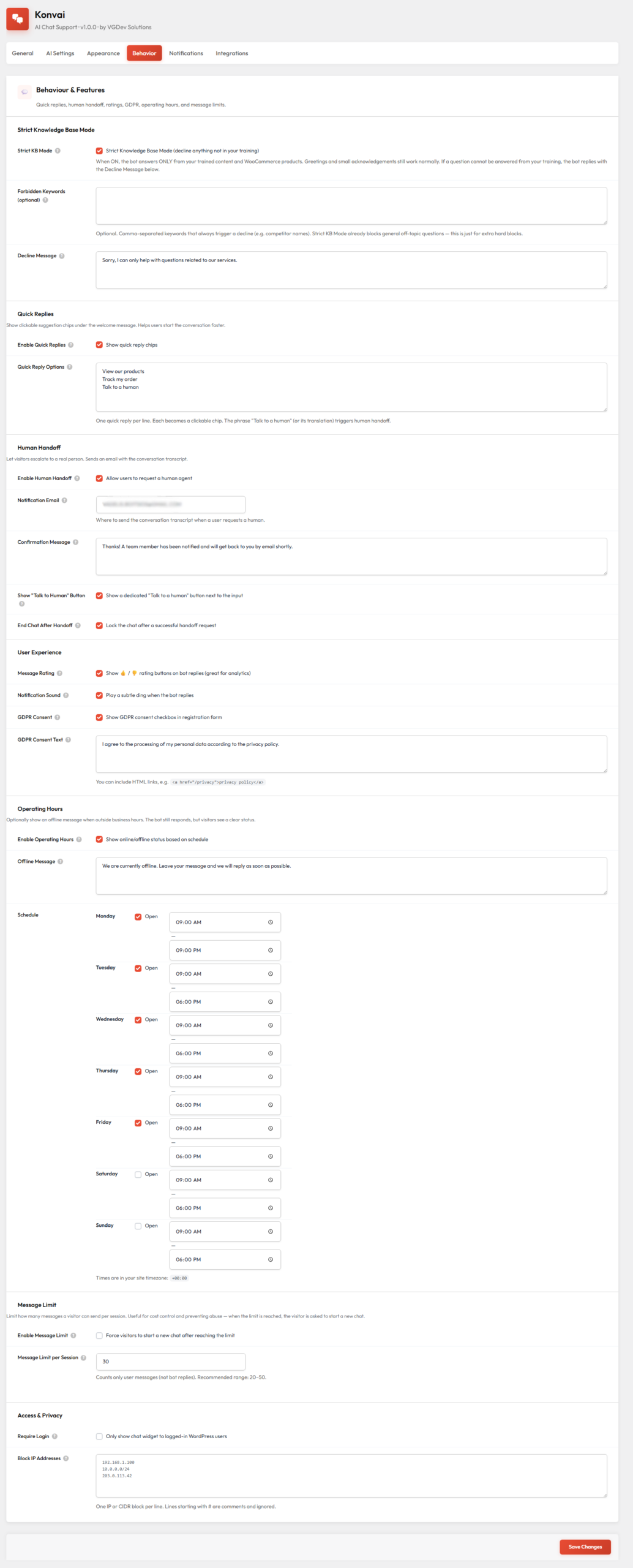
  • Quick reply chips to guide visitors from the welcome screen
  • Voice messages transcribed via OpenAI Whisper
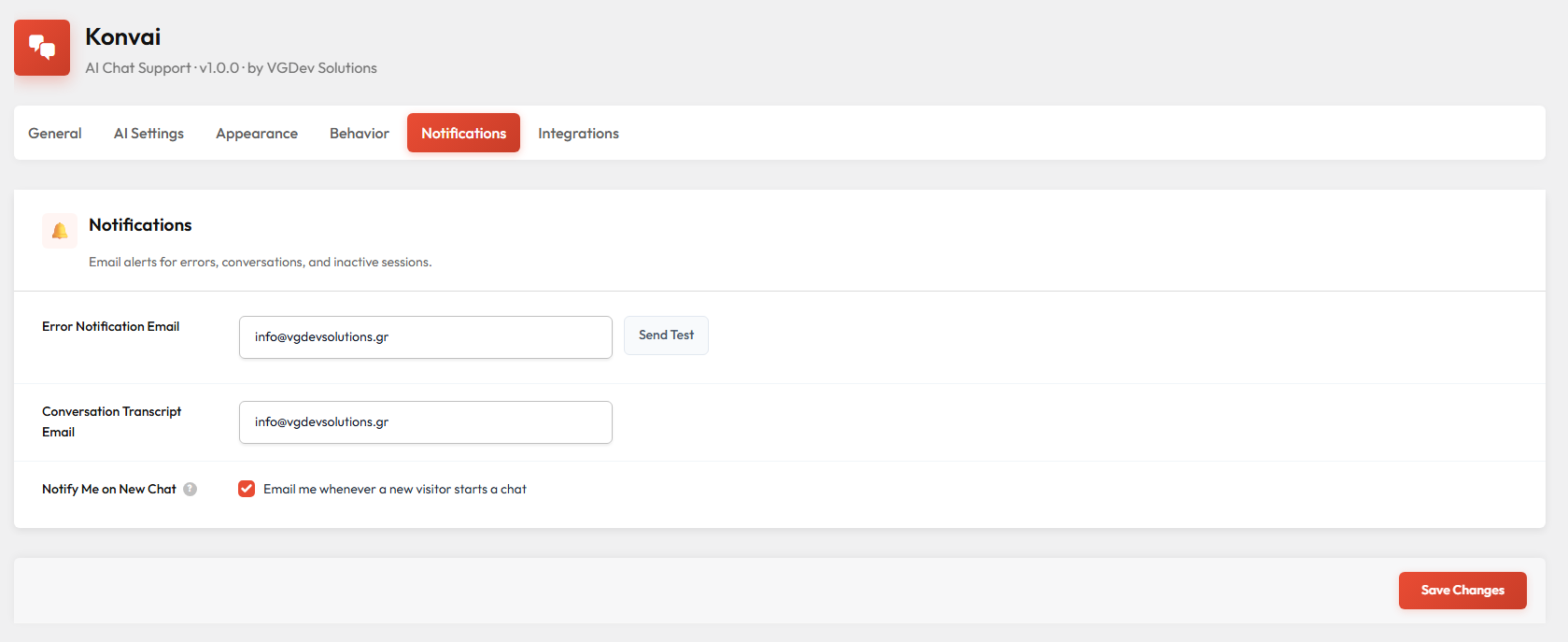
  • Human handoff — full transcript emailed to your team
  • Operating hours with online / offline status

Brand & Appearance

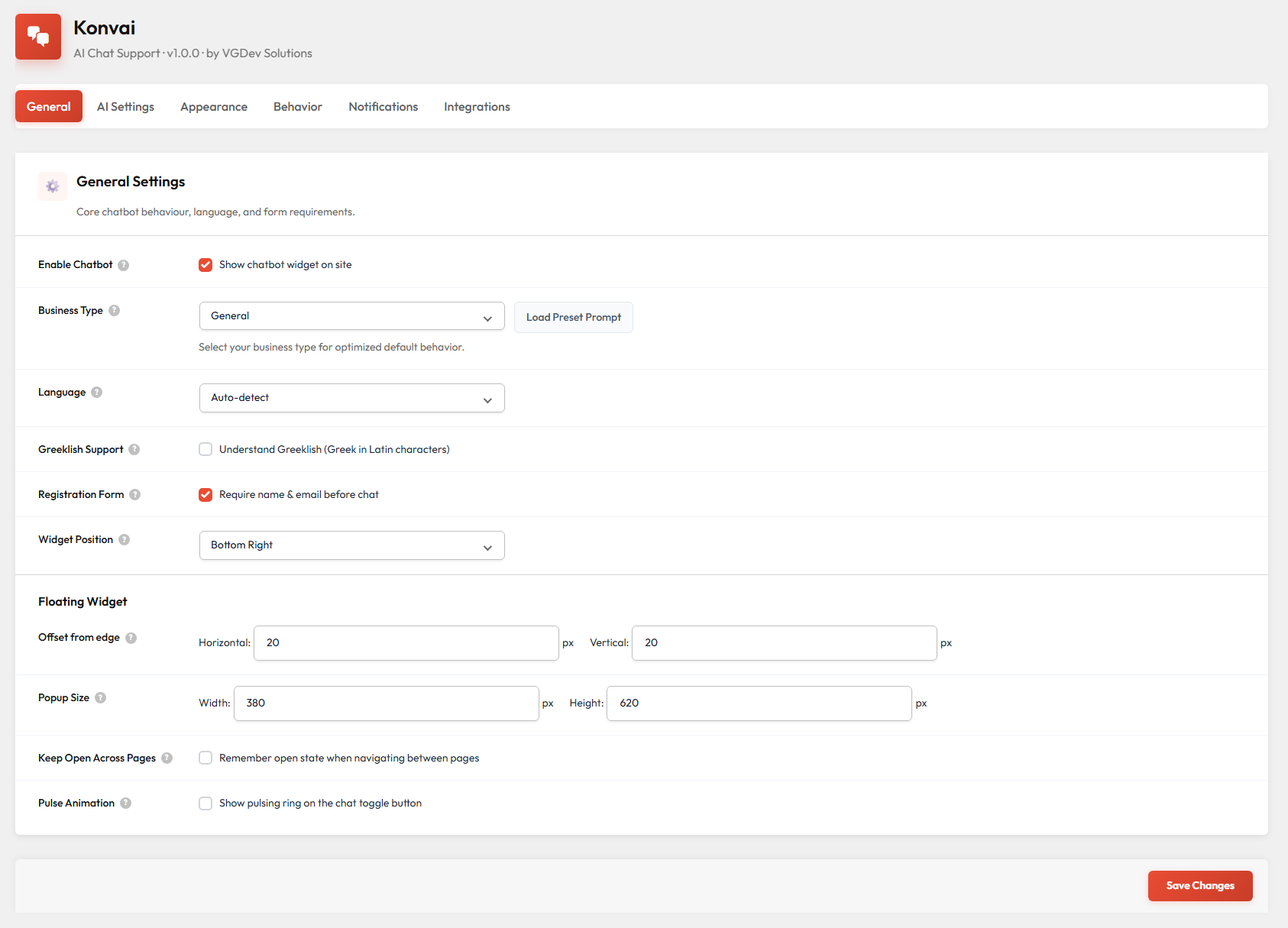
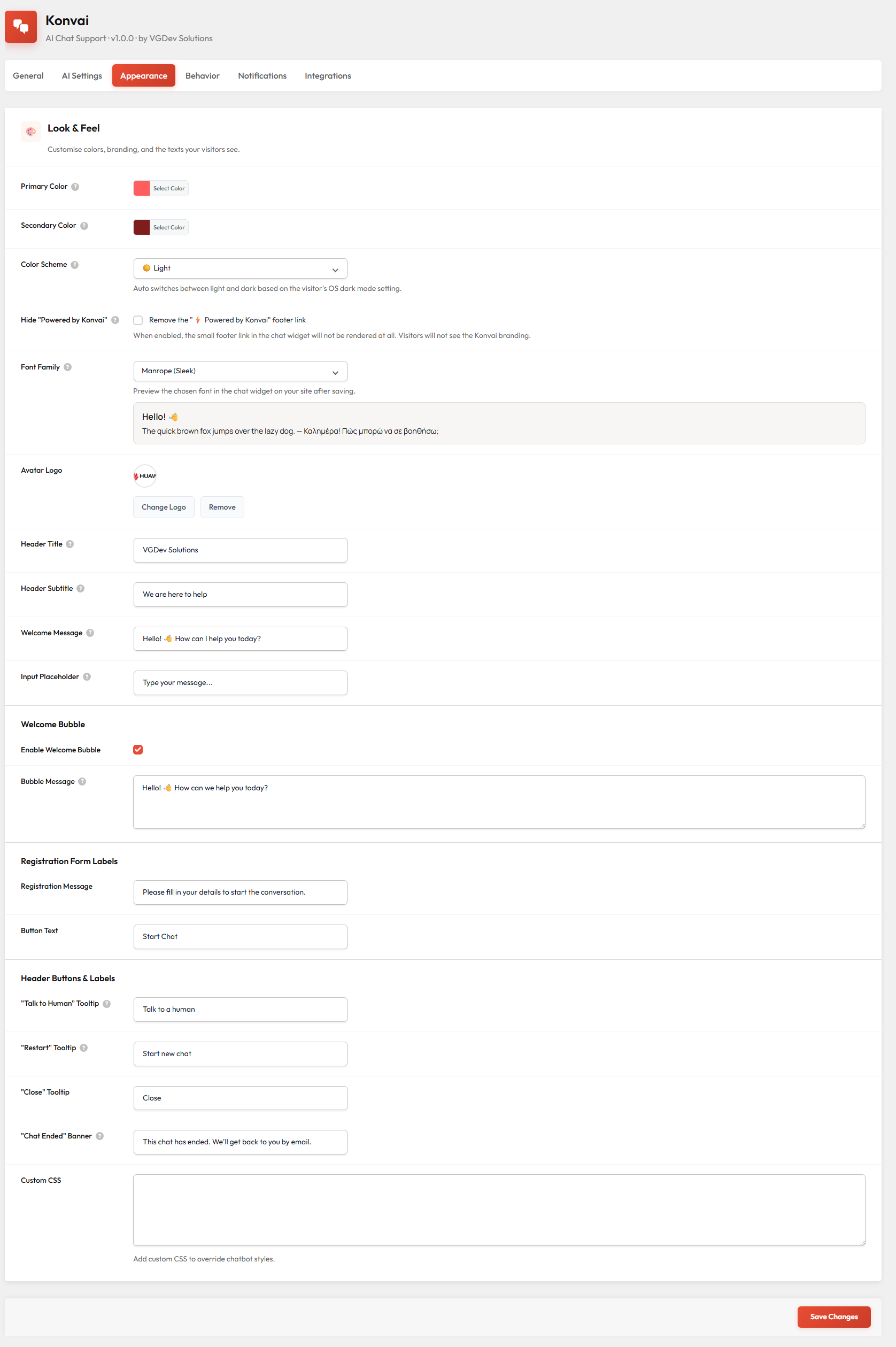
  • Colors, logo, font, header texts, bubble position
  • Light, Dark or OS-aware Auto theme
  • White-label: hide "Powered by Konvai" footer
  • Custom CSS field for pixel-level adjustments

Analytics & Conversations

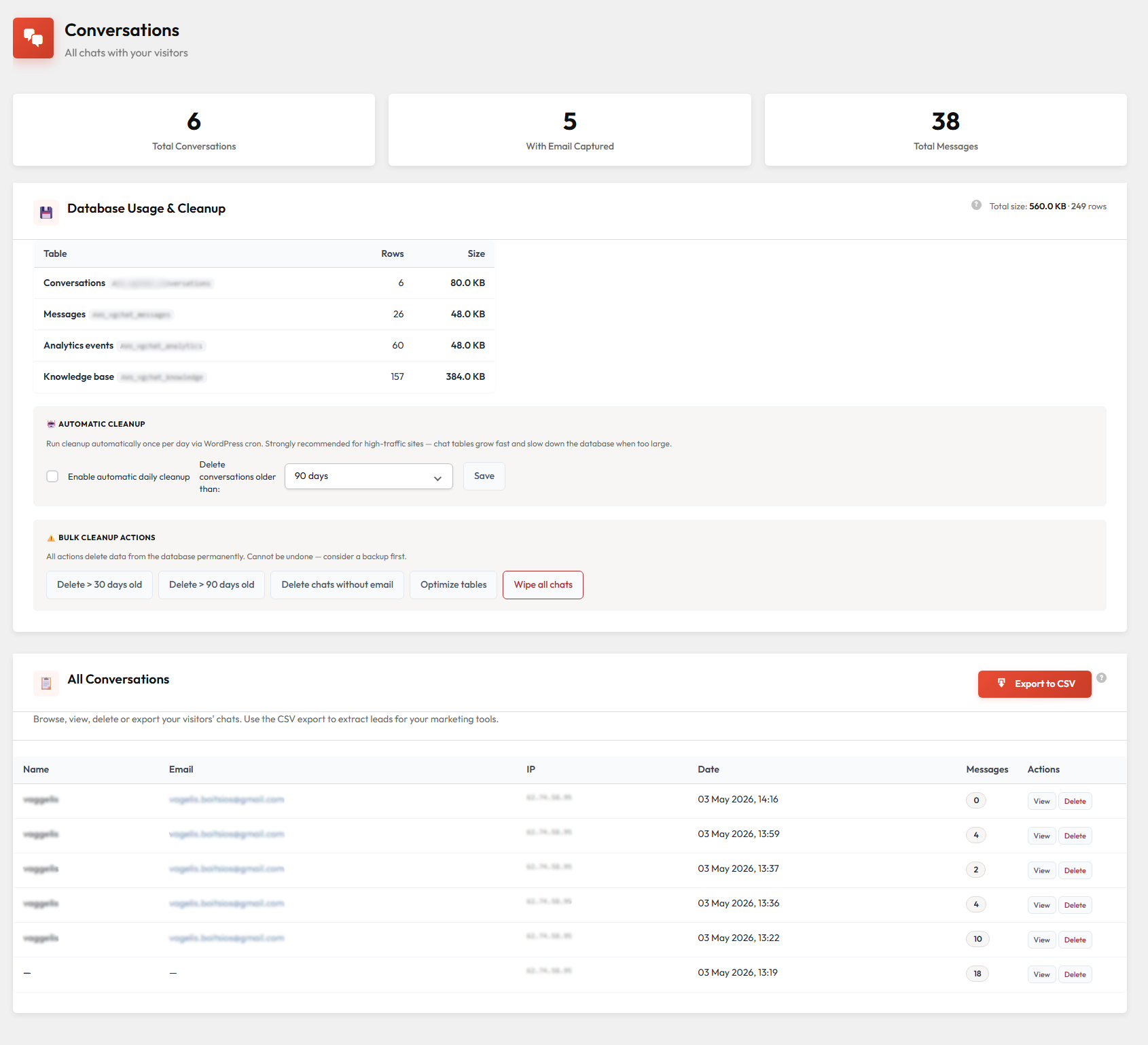
  • Full conversation history — searchable transcripts per visitor
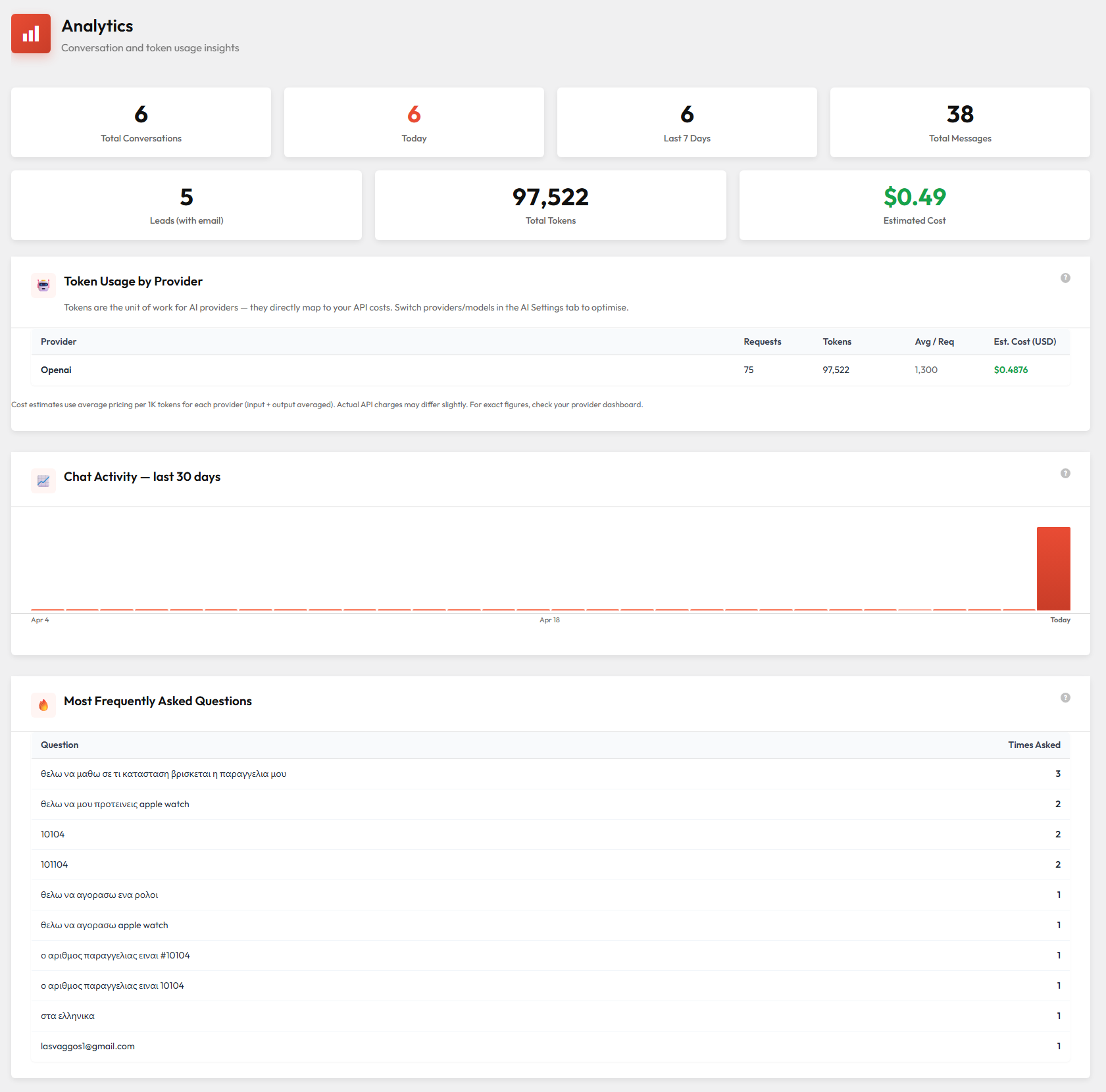
  • Session counts, sentiment and unanswered-question tracking
  • Export leads to CSV or push via webhooks to n8n / Zapier / Make
  • Per-message 👍 / 👎 ratings for continuous quality improvement

Booking Integrations

  • Amelia & BookingPress: live availability in chat
  • Visitors can book appointments without leaving the conversation
  • Real schedule pulled from your booking plugin in real time
  • Works alongside your existing booking confirmation emails

Free vs Pro

Free — coming to WordPress.org

  • 5 AI providers (OpenAI, Anthropic, Google, Mistral, DeepSeek)
  • Train on posts, pages & custom post types
  • Manual Q&A knowledge base
  • Custom system prompt (plain English instructions)
  • Off-topic keyword filter
  • Message ratings (👍 / 👎)
  • GDPR consent checkbox
  • Per-session message limit
  • Polylang & WPML support
  • Floating bubble with branding customisation

Pro — everything above, plus

  • WooCommerce integration — product cards, Add-to-Cart, order tracking
  • PDF training — manuals, catalogs, FAQs
  • Vector embeddings — semantic search across your catalogue
  • Voice messages — Whisper transcription
  • Conversation history — transcripts, export, webhooks
  • Quick replies — tappable suggestion chips
  • Human handoff — email transcript to your team
  • Operating hours — online/offline status by schedule
  • Dark & Auto theme — OS-aware colour switching
  • White-label branding — remove "Powered by Konvai"
  • Booking integrations — Amelia & BookingPress

How to Activate Pro

  1. Install the Konvai plugin

    Install the free Konvai plugin from WordPress.org (coming soon), or upload the ZIP from your purchase:

    • Go to Plugins > Add New > Upload Plugin
    • Upload the ZIP file and click Install Now > Activate
    • Make sure WooCommerce is active if you want the WooCommerce Pro features
  2. Paste your license key

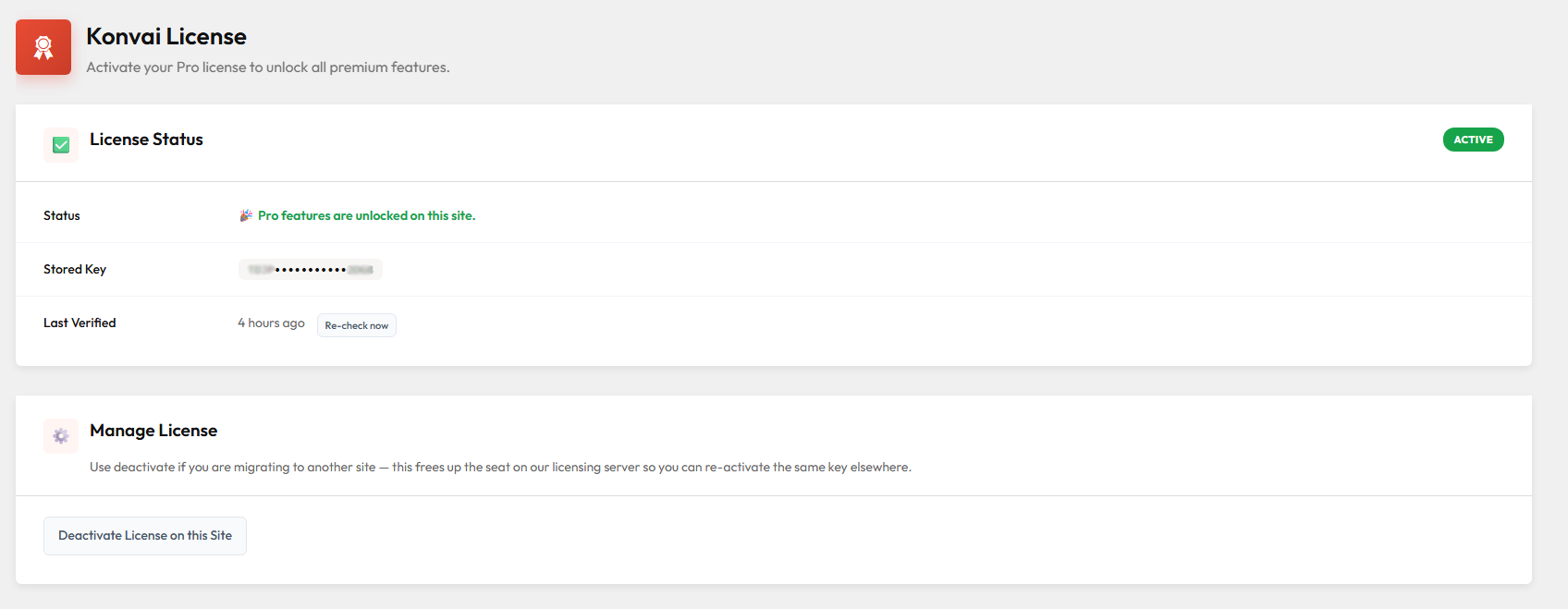
    Your license key arrives in your purchase confirmation email and is always visible in My Account → Licenses on vgdevsolutions.gr.

    • In your WordPress admin, go to Konvai → License
    • Paste the license key into the field and click Save & Activate
    • All Pro features unlock immediately — no restart, no data migration
  3. Connect your AI provider

    Konvai uses your own API key — you control the cost:

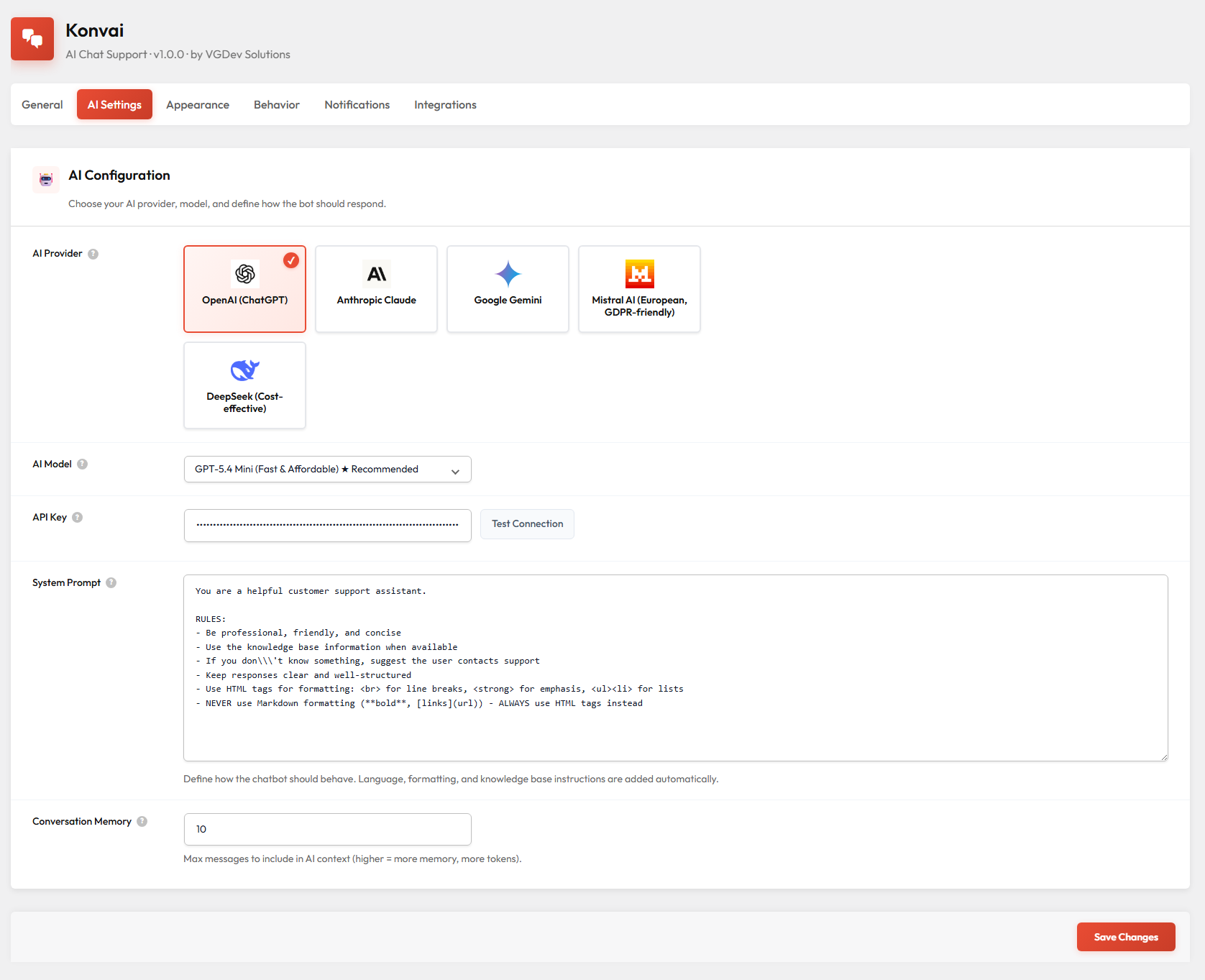
    • Go to Konvai → AI Settings and choose a provider
    • Paste your API key (OpenAI, Anthropic, Google, Mistral or DeepSeek)
    • Pick a model — gpt-4o-mini is a great starting point for most stores
  4. Train on your content & go live

    One click syncs everything:

    • Go to Konvai → Training and click Train / Re-sync All Content
    • For WooCommerce (Pro), this also vector-indexes your product catalogue
    • Add manual Q&A entries for facts that must be exact (shipping costs, return policy, etc.)
    • Customise colours, logo and position under Konvai → Appearance, then save — the chat bubble appears on every page immediately

License Terms

  • 1 license = 1 site. Each active installation requires its own license key.
  • License keys are managed from your account at vgdevsolutions.gr → My Account → Licenses.
  • Lifetime updates are included — no renewal required to receive new features and security patches.
  • The plugin continues to work if you deactivate the license; you simply stop receiving updates.
  • Support is provided via email priority for Pro license holders.

System Requirements

  • WordPress 5.8 or higher
  • PHP 7.4 or higher (PHP 8.x recommended)
  • WooCommerce 6.0 or higher (required for WooCommerce Pro features only)
  • An active API key from at least one supported provider: OpenAI, Anthropic, Google Gemini, Mistral or DeepSeek
  • HTTPS on your WordPress site (required by browser microphone API for voice messages)
  • For PDF training: pdftotext recommended on the server for best results; falls back to pure-PHP extractor automatically

Frequently Asked Questions

What's the difference between the free and Pro version?

The free version covers the full knowledge base, 5 AI providers, custom system prompt, off-topic filtering, GDPR consent, ratings and appearance customisation. Pro adds WooCommerce product cards with Add-to-Cart, PDF training, vector embeddings, voice messages, conversation history, quick replies, human handoff, operating hours, dark theme and white-label branding. You unlock Pro by purchasing a license here and pasting it into Konvai → License in your admin — same plugin installation, no data migration.

Do I pay a monthly fee to use Konvai?

No. Konvai is a one-time purchase. The only recurring cost is your AI provider's API usage — you pay OpenAI, Anthropic or Google directly at their standard rates. For a typical WooCommerce store with moderate traffic, that works out to roughly €3–€10 per month using gpt-4o-mini.

How many sites does one license cover?

Each license covers 1 active installation. If you need Konvai on additional sites, purchase an additional license for each. All your license keys are visible and manageable from My Account → Licenses on vgdevsolutions.gr.

Is my customer data sent to Anthropic / OpenAI / Google?

Conversations are sent to your chosen AI provider to generate replies — that is how the AI works. The key privacy advantage of Konvai is that all conversation history and your knowledge base live in your own WordPress database, never on Konvai's servers. For full EU data residency, Mistral (EU-hosted) is a supported provider. Review your chosen AI provider's data processing agreement for full details.

What happens if I deactivate my license?

The plugin continues to function normally — your chatbot stays live for your visitors. What stops is automatic update delivery from vgdevsolutions.gr. You can re-activate the license at any time to resume updates. There is no "kill switch" that would disable the bot if the license lapses.

Start with the free version. Upgrade when you're ready.

The free Konvai plugin is coming to WordPress.org soon. Install it, train it on your content, and run real conversations at zero cost. When you need WooCommerce product cards, PDF training, voice messages or white-label branding, purchase a license here — same plugin, more power.

Questions

What's the difference between the free and Pro version?

The free version (coming soon to WordPress.org) covers posts, pages, 5 AI providers, manual Q&A knowledge base, message ratings, GDPR consent and off-topic filtering. Pro adds WooCommerce product cards with Add-to-Cart, PDF training, voice messages, conversation history, quick replies, human handoff, operating hours, dark/auto theme and white-label branding. You unlock Pro by purchasing a license here and pasting it into the plugin's License screen, same plugin, same data.

Do I need a subscription to use Konvai?

No. Konvai is a one-time purchase with lifetime updates. You do need an API key from an AI provider (OpenAI, Anthropic, Google, Mistral or DeepSeek) — you pay those providers directly at their standard rates, which for most stores works out to a few euros per month.

How many sites can I use the license on?

Each license covers 1 site. If you need to run Konvai on additional sites, you need an additional license per site. You can manage all your license keys from your account on vgdevsolutions.gr.

How do I activate Pro after purchasing?

Install the Konvai plugin on your WordPress site (free version from WordPress.org or the ZIP you downloaded here), go to Konvai → License in your WordPress admin, paste the license key from your purchase confirmation email, and click Save & Activate. Pro features unlock immediately, no site migration, no data loss.

What AI model do you recommend?

For most WooCommerce stores, gpt-4o-mini (OpenAI) is the best starting point: it's fast, cheap (roughly €0.002 per conversation) and handles product questions and order queries very well. If you want stronger reasoning or longer context, claude-sonnet (Anthropic) or gemini-2.5-flash (Google) are excellent alternatives and are EU-friendly for GDPR purposes.

Reviews

{{ reviewsTotal }}{{ options.labels.singularReviewCountLabel }}
{{ reviewsTotal }}{{ options.labels.pluralReviewCountLabel }}
{{ options.labels.newReviewButton }}
{{ userData.canReview.message }}
Konvai – AI Chatbot Plugin for WordPress & WooCommerce 40.00 Buy Now