Does this plugin work with WooCommerce Checkout Blocks?
No, this plugin is not compatible with WooCommerce Checkout Blocks. It requires the classic WooCommerce checkout using the [woocommerce_checkout] shortcode. The plugin uses dynamic AJAX functionality and custom checkout field manipulation that is specifically designed for the classic checkout experience. If you're using block-based checkout, you'll need to switch back to the classic shortcode-based checkout for this plugin to function properly.
How does the "Free over €X" threshold system work?
The plugin offers flexible threshold configuration at two levels:
- Per-Location Threshold: Each location can have its own "Free over" amount. For example, Athens might offer free shipping over €40, while a remote area might require €70.
- Global Fallback Threshold: Set once in settings and applies to any location that has an empty or zero threshold value.
- Calculation: Based on cart subtotal minus discounts (excludes shipping cost itself).
- Behavior: When threshold is met, the selected shipping method's cost is set to €0 and its label automatically changes to your configured "Free Shipping" text.
This gives you complete control over location-specific free shipping promotions while maintaining a safety net with the global threshold.
Can I use different fees for different shipping methods in the same location?
No, the plugin applies location fees uniformly across all selected shipping methods. However, you control which shipping methods participate in the location fee system. For example, you might configure "Flat Rate Shipping" to include location fees, while "Local Pickup" remains unaffected. The location fee is the same regardless of which participating method the customer chooses - what varies is which methods are eligible to receive the fee in the first place.
What happens when a customer changes their state or location during checkout?
The plugin uses AJAX to dynamically update the checkout experience without full page reloads:
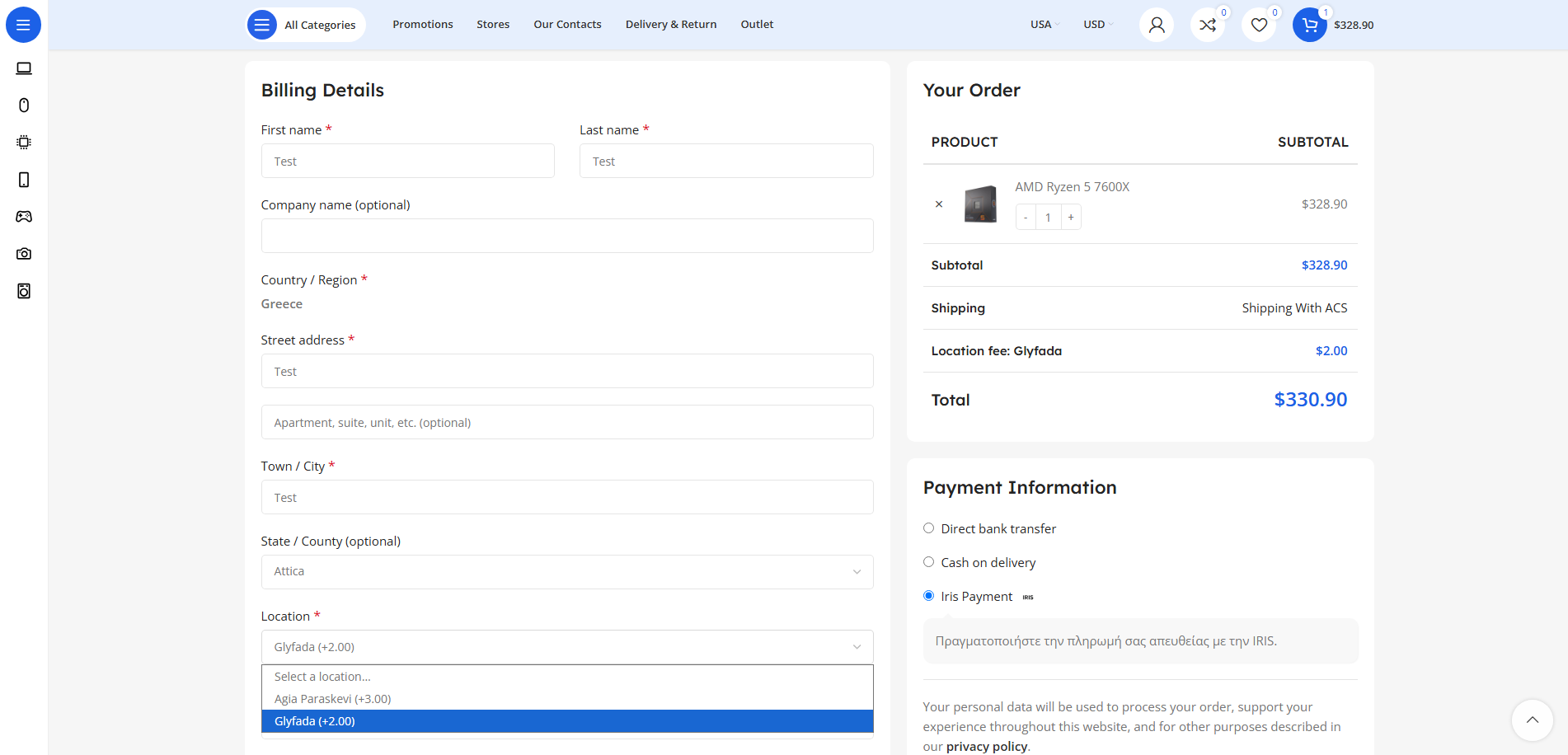
- State Change: Location dropdown immediately repopulates with locations for the new state. Previous location selection is cleared.
- Location Change: Fee is recalculated and checkout totals update automatically. Previous fee is removed and new fee applied.
- Location Deselect: If customer changes to a state with no configured locations, the location dropdown hides and any existing fee is removed.
- Session Persistence: Selected location is stored in WooCommerce session, so it persists during checkout even if the customer navigates away and returns.
Will the location information appear in order emails and admin order details?
Yes, absolutely! The plugin provides comprehensive order integration:
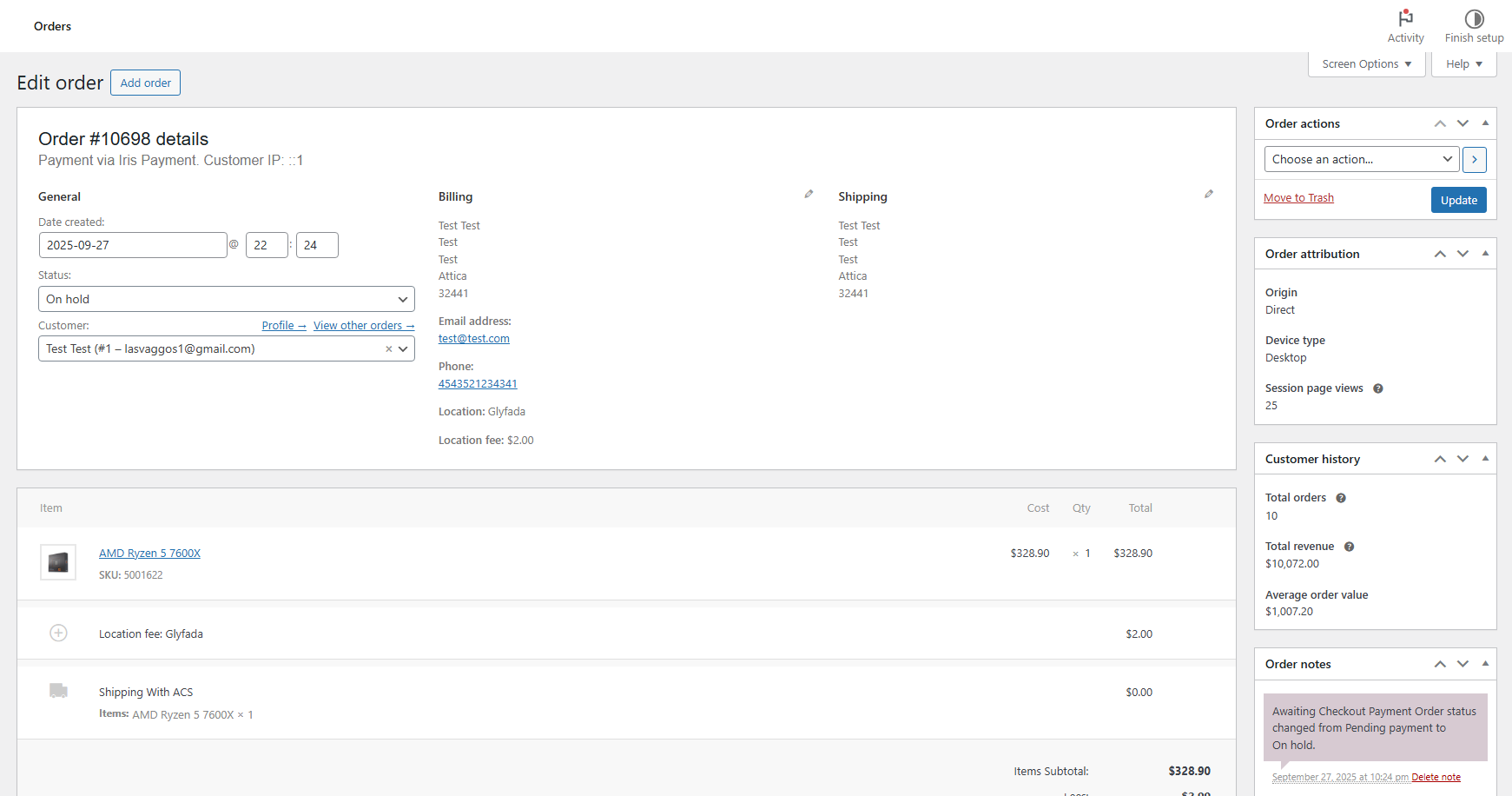
- Order Metadata: Location name and fee amount are stored in order meta fields (
_vgdev_place and _vgdev_place_cost).
- Admin Order Page: Location and fee are displayed in the billing address section of the order details page.
- Order Emails: Location name and fee automatically appear in the order confirmation email sent to both customer and admin.
- HPOS Compatible: Works with both traditional post-based orders and WooCommerce's High-Performance Order Storage system.
This ensures you always know which delivery location the customer selected for fulfillment purposes.