Category Tree Visibility Control
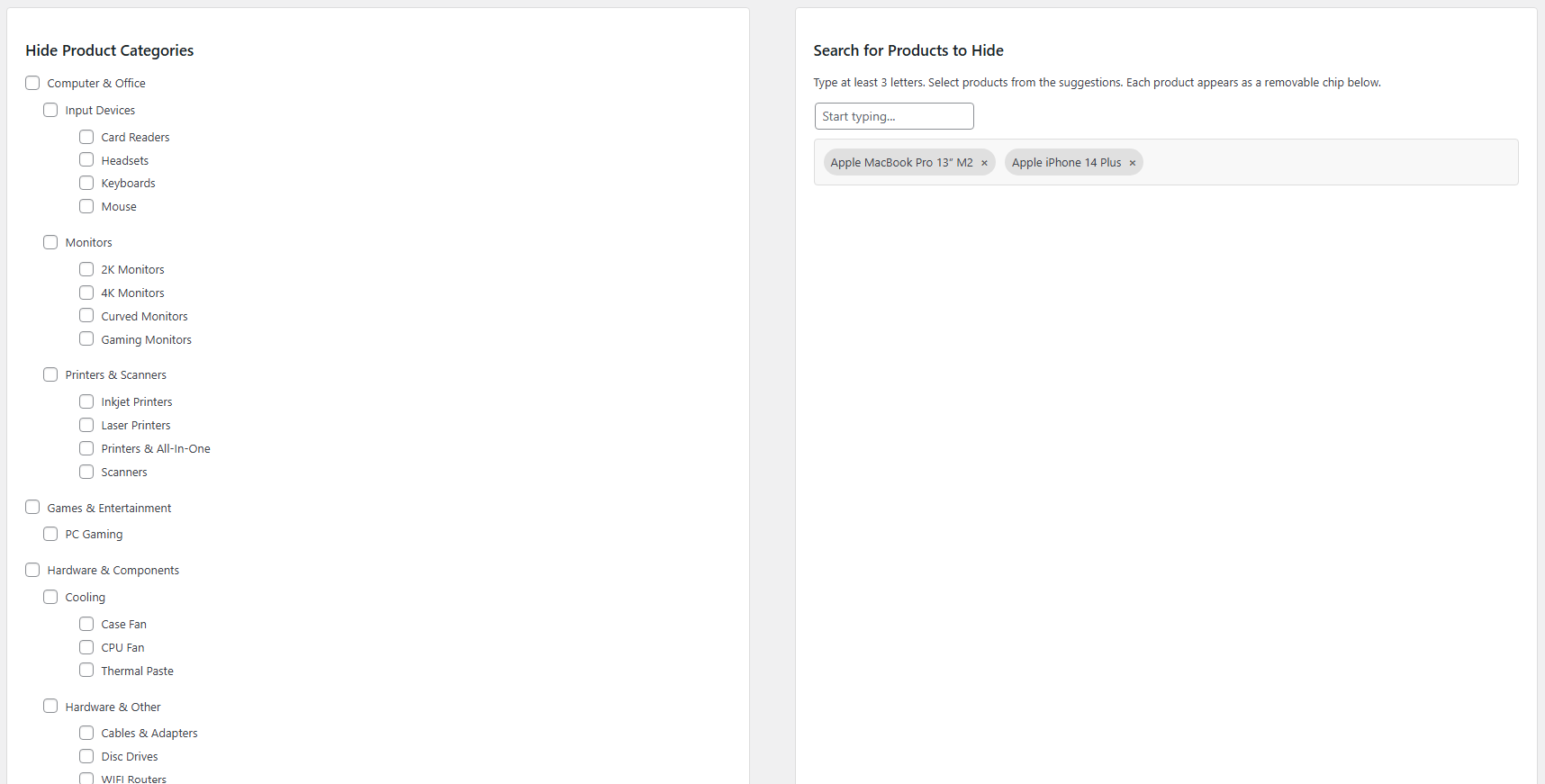
- Visual hierarchical category tree with checkboxes
- Hide entire categories and all their products instantly
- Parent and child category relationships preserved
- Indented tree view for clear hierarchy visualization

WooCommerce One-off purchase, no subscription
Hide Product Categories & Products for WooCommerce is a premium visibility control plugin that gives you complete power to hide products and entire categories from your storefront.
FREE
At a glance

Hide Product Categories & Products for WooCommerce is a premium visibility control plugin that gives you complete power to hide products and entire categories from your storefront. Perfect for managing seasonal inventory, wholesale catalogs, member-only products, or work-in-progress items, this plugin features an intuitive category tree interface and smart AJAX-powered product search with visual chip selection for effortless product visibility management!
Hide Product Categories & Products for WooCommerce – Take complete control of product visibility with category tree checkboxes and AJAX-powered live search with visual chip selection. Hide entire categories or individual products instantly without deleting any data. Perfect for seasonal inventory, wholesale catalogs, and member-only products.
Features
8 groups of features, all in one licence.
_hideprca_hide_productpre_get_posts actionYou pay once and the purchase includes:
Hide products by category or individually with flexible options
Products never removed from database, safely hide and unhide anytime
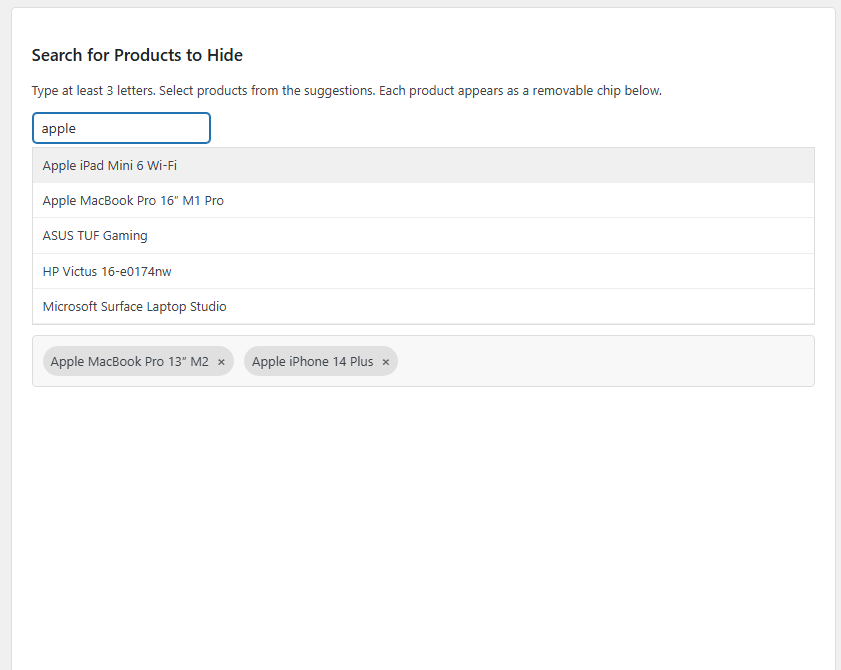
Find products instantly without page reloads or scrolling through lists
Modern tag-based selection for clear visibility of hidden products
See your entire category hierarchy at a glance with intuitive checkboxes
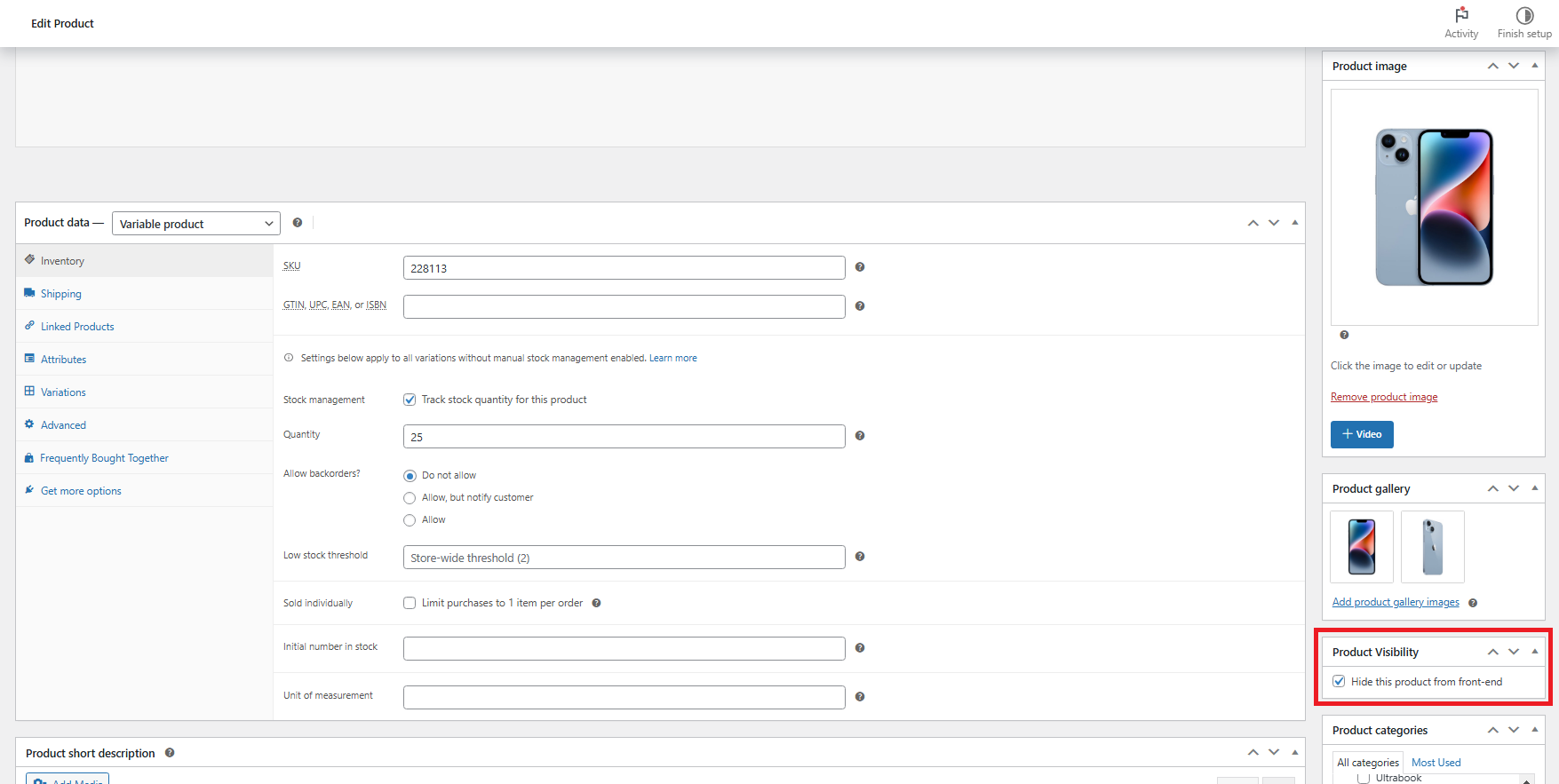
Hide via settings page or directly in product editor for flexibility
Hidden products excluded from all frontend searches automatically
Efficient query filtering with minimal database overhead
WPML and Polylang compatible for international stores
All products remain visible in WordPress admin for management
Works immediately after activation with WooCommerce
Uncheck categories or remove chips to instantly restore visibility
Volume discount
With 2 plugins in the cart you save -10% automatically, and even more with 3 or more. No coupon needed.
Protect your profit margins with WooCommerce minimum order enforcement! Set minimum cart subtotals, display customizable error messages with...
Enable free shipping on a per-product basis with simple checkboxes! Automatically set shipping to €0 when free-shipping products...
Click an image to see it full size.
You are ready in 6 steps. Open each step for the details.
After purchasing the plugin:
/wp-content/plugins/hide-product-categories-products-for-woocommerce/In the left panel of Visibility Control page:
In the right panel, use the smart search system:
For individual product control directly in the editor:
Click Save Settings to apply all changes:
Test your visibility settings:
No, absolutely not! The plugin never deletes any products or categories from your WordPress database. It simply uses meta fields and query filters to exclude hidden products from appearing on the frontend. All your product data, images, descriptions, and settings remain completely intact. You can unhide any product or category at any time by unchecking it or removing the chip, and it will immediately reappear on your storefront without any data loss.
The current version focuses on hiding products from main query listings (shop page, category pages, tag pages, and search results). Hidden products may still be accessible if someone has a direct URL to the product page. This design allows you to share hidden product links with specific customers or partners if needed, while keeping them out of general catalog browsing. For complete access restriction, we recommend combining this plugin with a membership or role-based access plugin.
Both methods work together seamlessly:
You can use both methods simultaneously - for example, hide an entire "Winter Collection" category while also hiding specific summer items individually.
Yes! All hidden products and categories remain fully visible in the WordPress admin dashboard and WooCommerce product management screens. This is intentional - you need to see and manage all your products even when they're hidden from customers. The visibility filtering only applies to the frontend storefront, ensuring you maintain complete control and can easily edit, update inventory, or restore visibility of any hidden products without searching for them.
The AJAX search provides a fast, modern way to find and hide specific products:
This chip-based interface makes it easy to see exactly which products you've selected to hide, and you can remove any of them with one click before saving.
After payment you download the ZIP file from your purchase email or from your account. In WordPress go to Plugins > Add New > Upload Plugin, choose the ZIP, click Install and then Activate.
Your licence key is in your purchase email and in your account. Enter it in the plugin's licence tab to unlock every feature and automatic updates.
Each licence covers 1 website (domain). For more sites you need one licence per site. When you add 2 or more plugins to the cart, the volume discount applies automatically: 2 plugins -10%, 3 plugins -15%, 4 plugins -20%.
No. You pay once and the licence includes lifetime updates, with no renewals and no hidden fees.
Most plugins come with a 14-day money-back guarantee. See the details in our Refund Policy.
Help with installation and activation, answers to usage questions and bug fixes. Send your request from the support page and we usually reply within 24 hours on business days.
Yes. Use the "Request a feature" and "Customisation request" forms further down this page. Requests that help many stores make it into the next releases.
The Hide Product Categories & Products plugin includes lifetime updates and dedicated support. Manage seasonal inventory, prepare launches, and control exactly what your customers see with professional visibility management for WooCommerce!
The plugin and your licence key arrive by email right after payment.
Lifetime updates are included in the price. Nothing to renew every year.
Written by a Greek developer for Greek couriers, marketplaces and payment methods.
Only logged in customers who have purchased this product may leave a review.


There are no reviews yet.